Mapping Tutorial
This tutorial shows how to make cubes out of 20m mapping observations.
For this tutorial you will need
a working internet connection
at least 500 MB of free disk space
a skynet account
grid20minstalled (see Installation)a mapping observation with the 20m telescope at Green Bank.
Data Retrieval
Login to your skynet account. Select Radio Observing from the drop down menu.
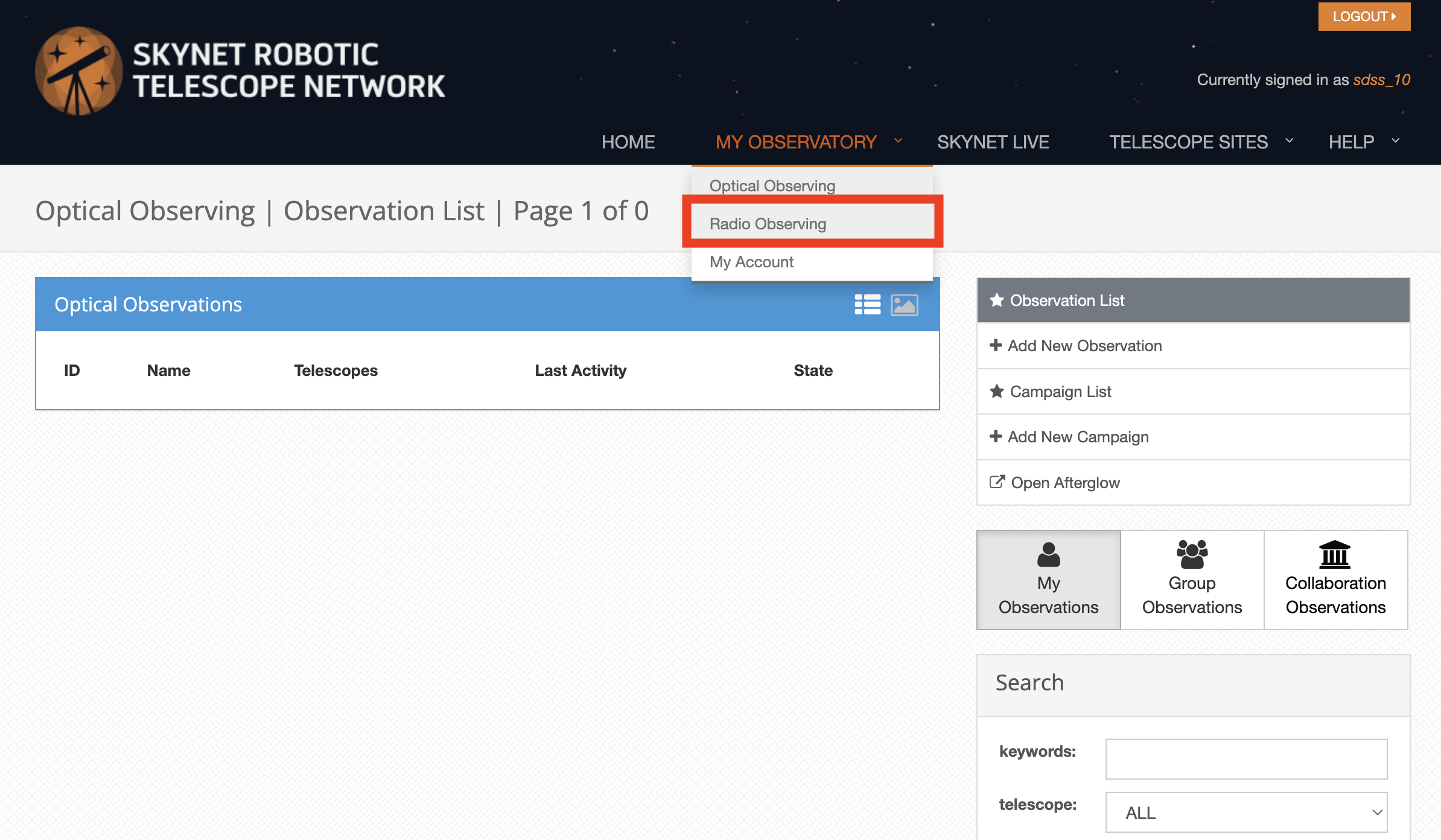
Go to your observations.
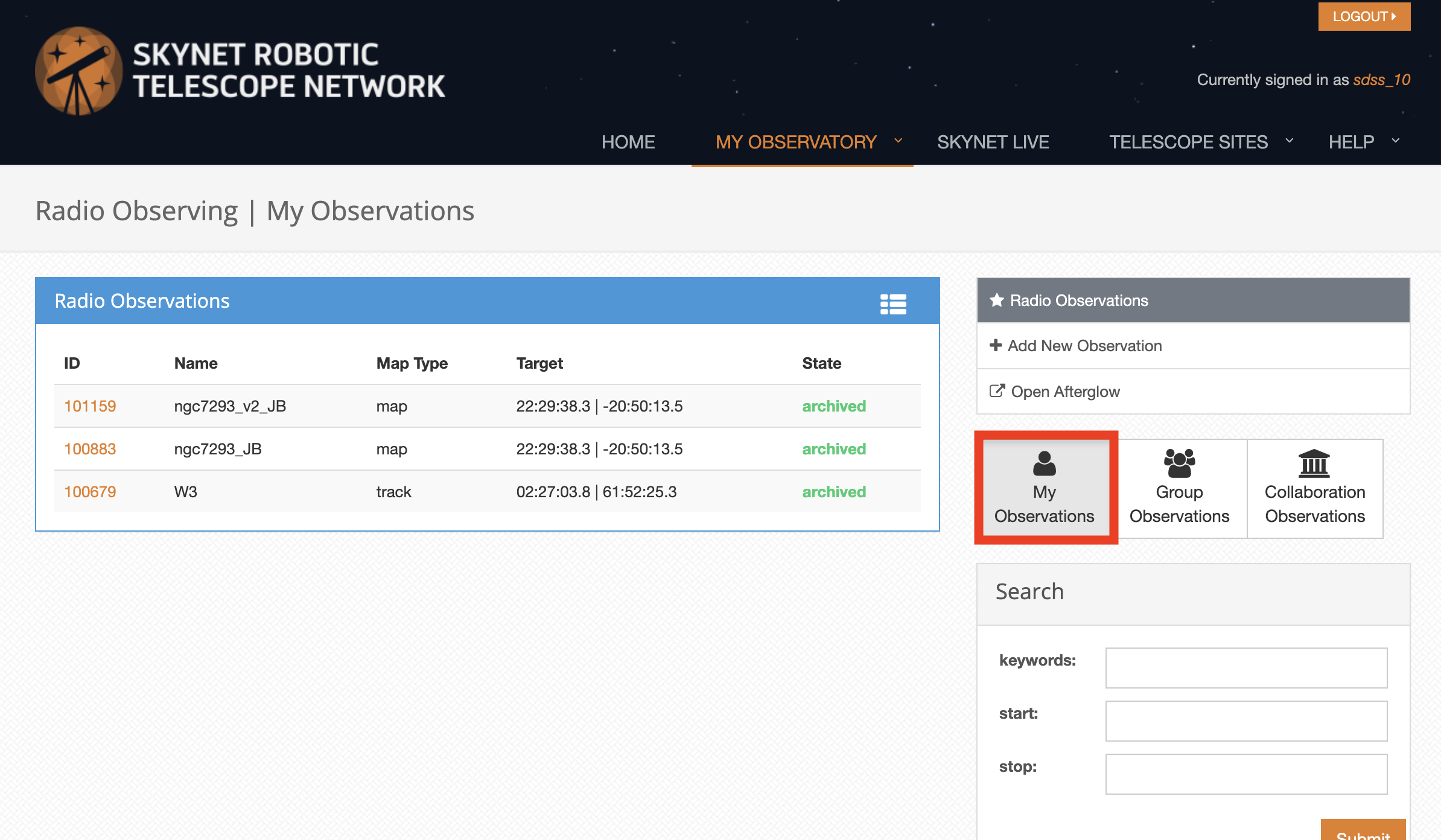
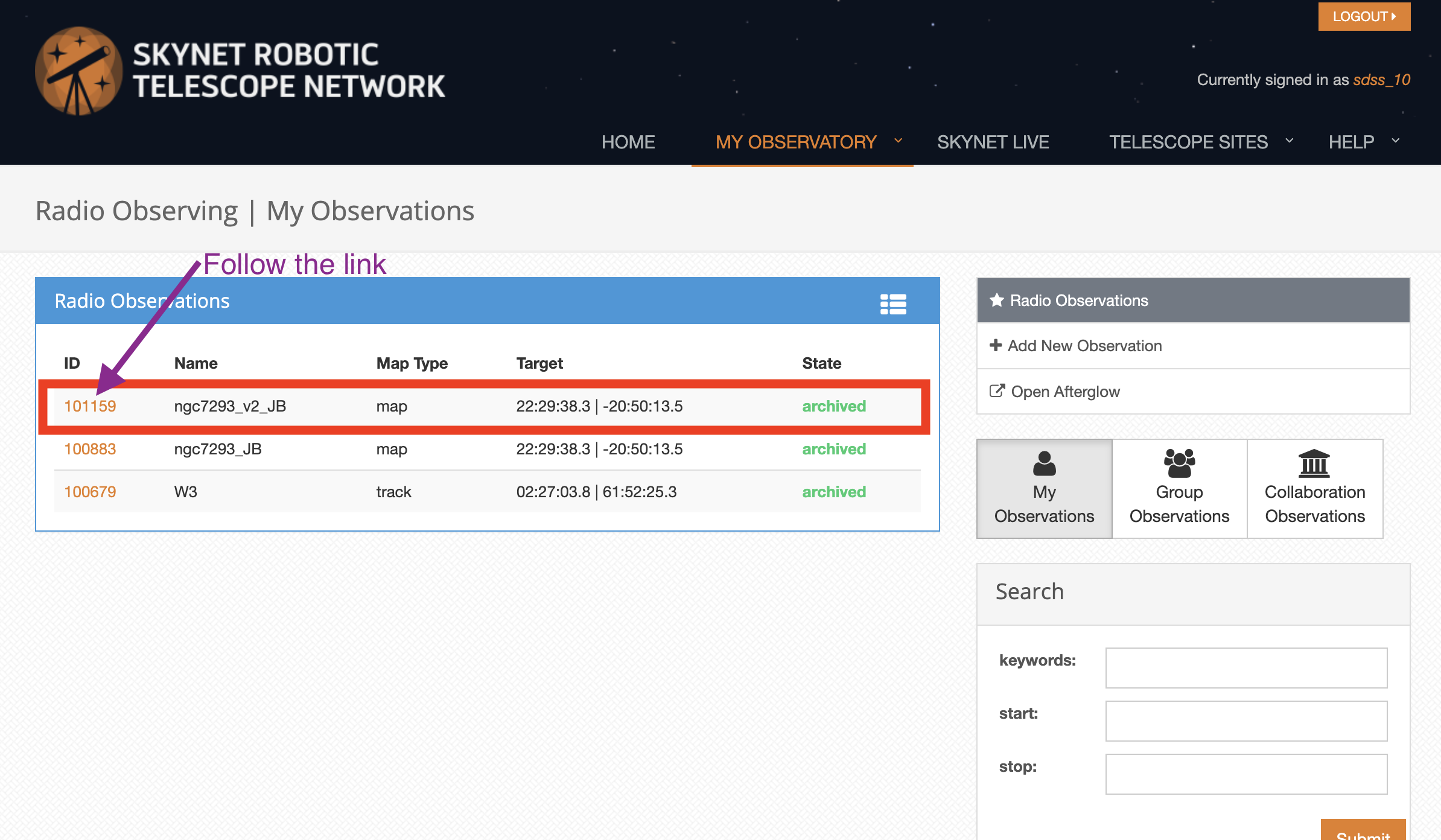
Select an observation of the type “map” and follow the link on the ID column.
Click on the “Download SDFITS” button. This will start the download of the mapping data.
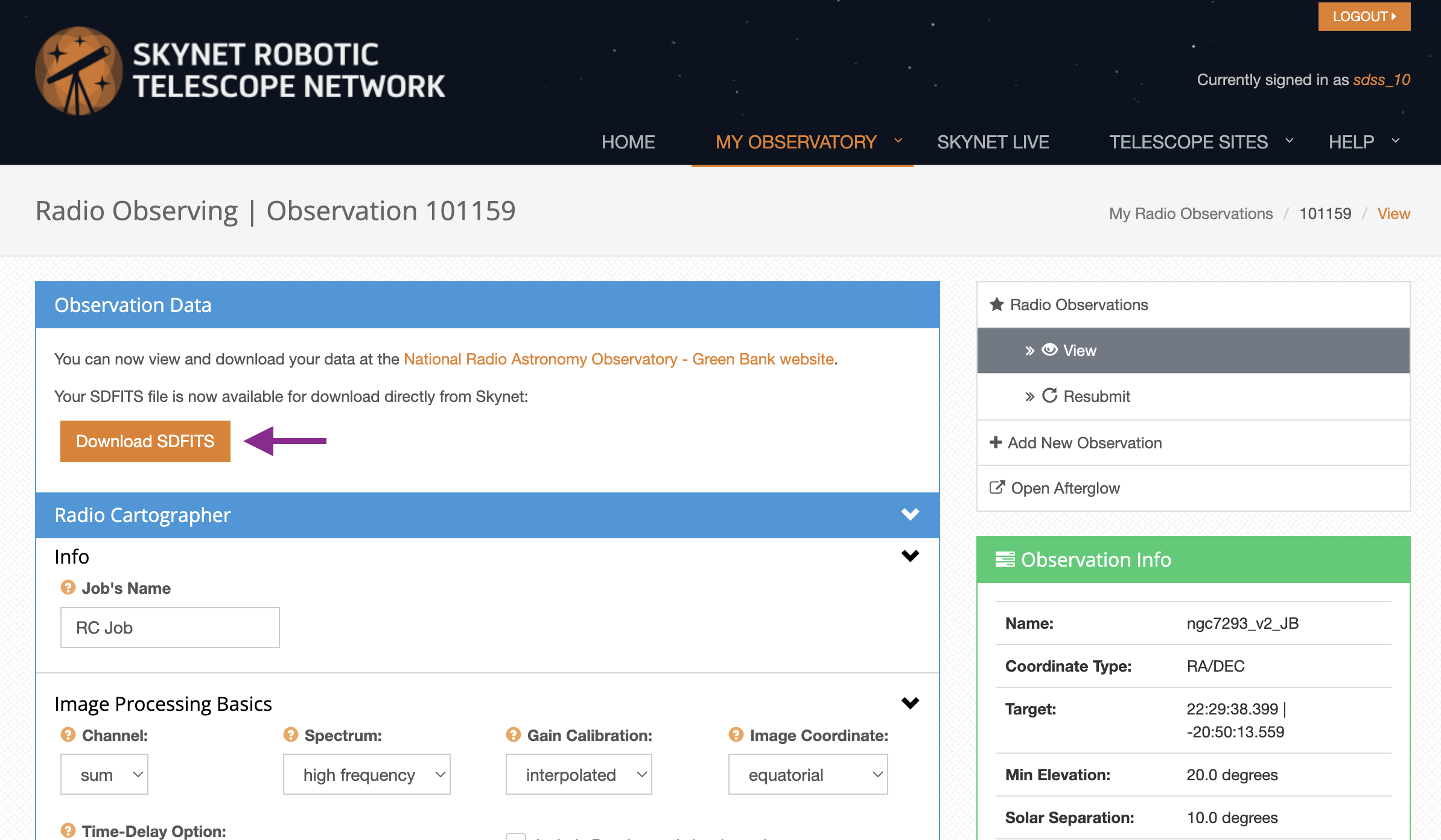
Save the data into the directory where you will work.
Map Making
In the directory where you saved the mapping data open up a new terminal.
If you installed grid20m in a separate Python environment, make sure to have that environment activated.
Use the command grid20m to generate data cubes
grid20m 0101159.fits
The following image shows the outputs from the above command
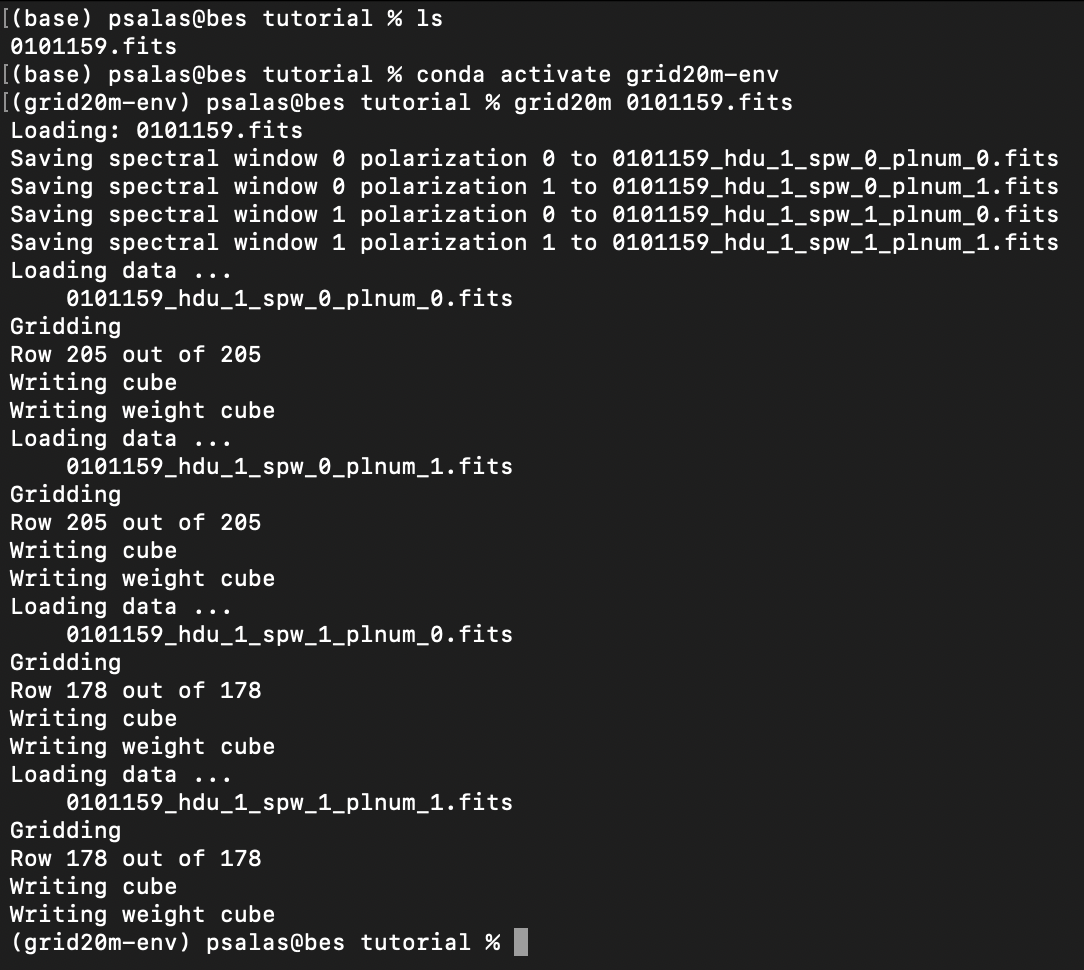
If the command finishes successfully you will now have four (the exact number depends on the data you are using) data cubes. For the above example these would be:
0101159_hdu_1_spw_0_plnum_0_cube.fits
0101159_hdu_1_spw_0_plnum_1_cube.fits
0101159_hdu_1_spw_1_plnum_0_cube.fits
0101159_hdu_1_spw_1_plnum_1_cube.fits
and four weight images:
0101159_hdu_1_spw_0_plnum_0_weight.fits
0101159_hdu_1_spw_0_plnum_1_weight.fits
0101159_hdu_1_spw_1_plnum_0_weight.fits
0101159_hdu_1_spw_1_plnum_1_weight.fits
The data cubes can be inspected using tools like SAOImageDS9, CASA, Astropy or any tool that can handle FITS image cubes.